Devlog: Tunnel Hazard Update 1
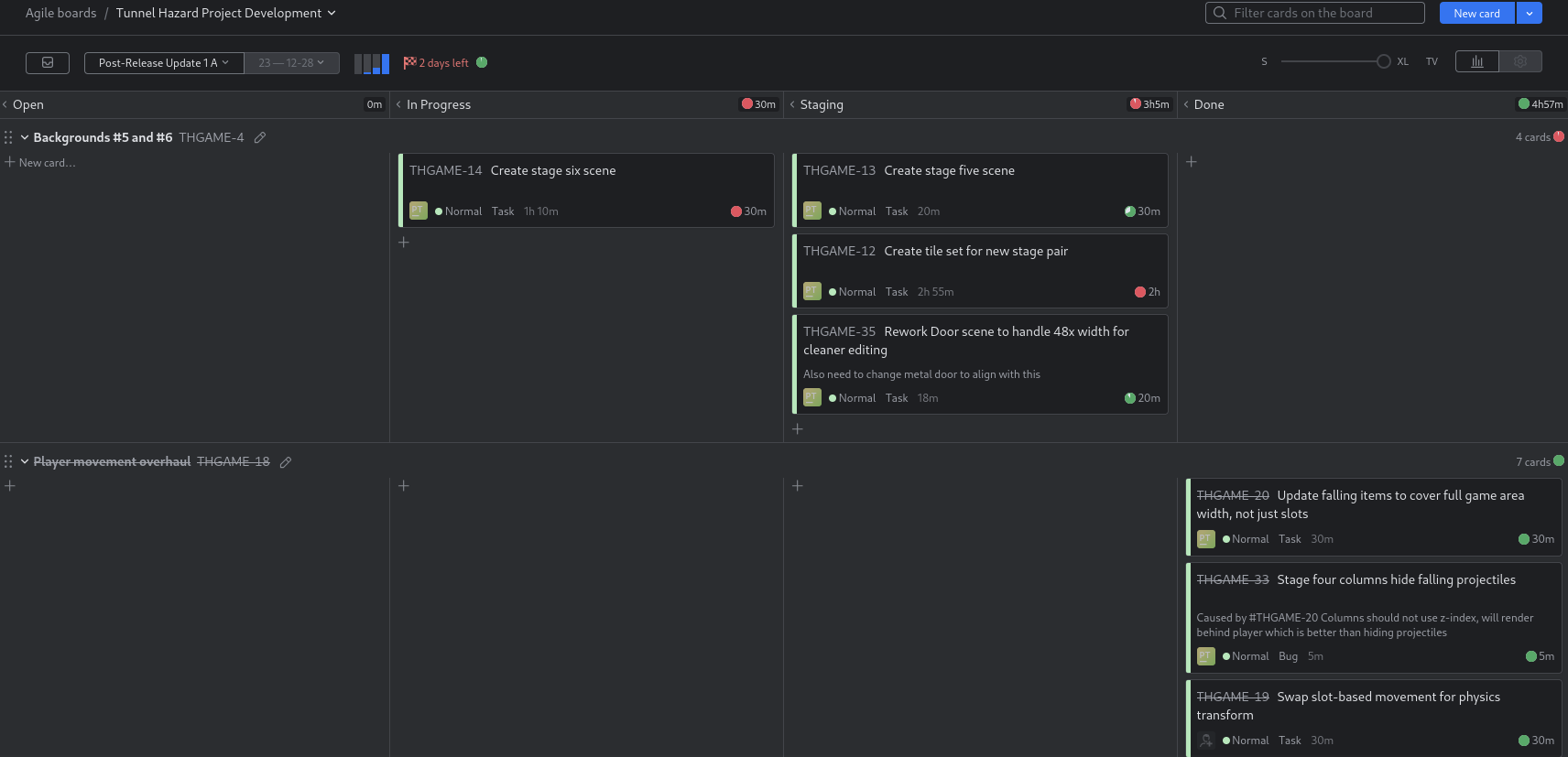
This week's free time was dedicated to the first post-release update for Tunnel Hazard. Update one has three core parts:
- Overhaul player movement
- Add two new stage background, with additional detail objects and new art
- A series of smaller fixes and improvements such as object pooling and tweaks to the ending screen
Changing Tracking Platform
I also moved fully to a self-hosted instance of JetBrains YouTrack, making 1.0 the cut-off point for the existing GitHub Project. My primary gripe with Projects was the lack of depth to work item types and so on - too much reliance on labels. YouTrack is pretty nice so far and is free for up to ten users. As I'm primarily expecting to work solo or rarely in very small teams, this is unlikely to be a problem.
Part One - Player Movement Rework
This was mentioned in the post-mortem as a point of player feedback and by the time the game was done, I was sort of over the movement system and its segmented nature. For this update I dropped the system entirely in favor of a simple left/right movement as short or long as the user wants. It's simpler to work with, offers more consistent behavior, and uses a third of the amount of code now.
func _physics_process(delta: float) -> void:
    ... # other stuff irrelevant to movement

    else:
        process_input()
    move_and_slide()

func process_input() -> void:
    ... # other stuff irrelevant to movement

    var movement: float = Input.get_axis("move_left", "move_right")
    if movement != 0:
        set_state(PlayerState.WALK_LEFT if movement == -1 else PlayerState.WALK_RIGHT)
        velocity.x = WALK_SPEED * movement
    else:
        velocity.x = move_toward(velocity.x, 0, WALK_SPEED)
        set_state(PlayerState.IDLE)
That's it. Much simpler.
Of course there were some other concepts that relied entirely on this manner of movement. For example, the falling projectiles spawned from eight specific nodes above the viewable area - aligned of course with the eight positions that a player could stand in between the entry and exit doorways. With that restriction removed, the player can simply stand in between two 'lanes' of falling items and be completely safe. This isn't the intent, so the nodes were dropped and the spawn controller now simply chooses a random spot between two bounds.
Part Two - New Stages & Art
Two new stage backgrounds are also included, bringing the total to six variants. There are three themes (red, gray, and now brown) with slightly different designs and two backgrounds for each. The brown theme is less brick-heavy and incorporates dirt/rocks as well as a new exit setup: a mineshaft elevator. All three of the theme tilesets are very simple, providing mostly the background and floor/ceiling.
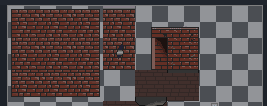
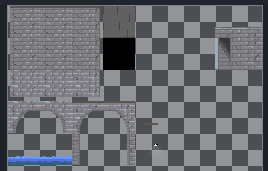
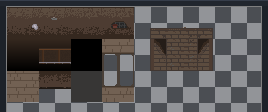
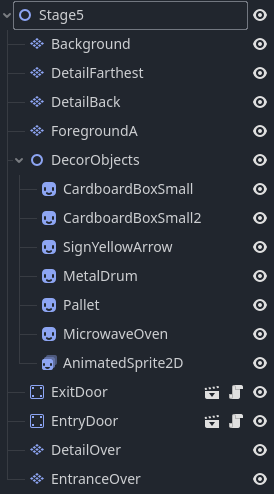
As with the previous stages, this uses a mixture of TileMapLayer nodes and various Sprite2D/AnimatedSprite2D for smaller details. Stage five's layout mid-update is shown to the left as an example. Most of the stages are laid out in this manner with ~3-6 TileMapLayer nodes and a bucket of sprites which are reordered as needed if they have to overlap. The bottom two TileMapLayer nodes also use a higher z-index to render over and hide the player character, since they relate to the exits which he can walk into. This could also be done by inserting the player object into the stage's scene tree at a predefined point (by creating a "player container" node or similar concept).
Speaking of sprites, several vending machine variants are now present along with an abandoned microwave oven and pallet for more debris variety.


The vending machines are part of an attempt to start using layers more efficiently. Each body color is a different layer, with additional layer variants of glass (broken/intact), items in the machine, and grime on the machine. I don't need a ton of variants, but it would be simple to create over a dozen different machine sprites like this.
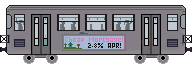
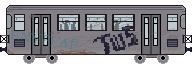
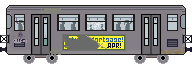
I used the same principle to create this subway train, which periodically passes by in the background of one of the new stages. The only changes are the graffiti/advert, grime, and passenger layers.
Part Three - Tweaks and Object Pooling
I won't go through every small fix and tweak here as most of them were tiny and boring. Of course when looking at code again later on, some silly things become obvious. I found that the player's dust particle running effect was being set and started every frame which is very unnecessary, so that moved to the state control system instead of sitting in _process.
I also wanted to add object pooling for the projectiles. Not that it would matter in a practical sense for a game this small, but it's inefficient to be instantiating and freeing all of these objects constantly when they could just be reused. To accomplish this, I added a pool array to the ProjectileSpawnController node which handles all of the projectile creation. This would hold all of my existing instances which weren't in use at the moment. The spawning logic is then modified to reuse one if possible:
func _spawn_projectile(pos: Vector2) -> void:
  var instance: Projectile
  if _projectile_instance_pool.size() > 0:
    instance = _projectile_instance_pool.pop_back()
    instance.set_process(true)
    instance.set_physics_process(true)
    instance.reactivate()
  else:
    instance = _projectile_scene.instantiate()
    instance.connect("ready_for_recycle", _recycle_projectile)
  add_child(instance)
  instance.speed = fall_speed
  instance.position = pos
  instance.visible = true
Projectiles were modified to, instead of simply queueing themselves for removal on impact, emit a signal that tells the controller they are ready for recycling. The recycling operation freezes the projectile, hides it, and dumps it back in the pool.
# Connected function in ProjectileSpawnController
func _recycle_projectile(p: Projectile) -> void:
  p.set_process(false)
  p.set_physics_process(false)
  p.visible = false
  _projectile_instance_pool.append(p)
  call_deferred("remove_child", p)
The reactivate() call tells the object to become visible again and reactivate its collision box. This worked great. I could see the pool filling up especially when stages changed (since all projectiles would be recycled together) and draining as soon as another one was requested. Then I noticed some rather red text in the terminal window...
It turns out that I missed the cleanup step. Godot cleans up the scene tree on quit, but what happens to my pool of projectiles that aren't on the tree (such as right after moving to the next stage)? This happens:
ERROR: Buffer with GL ID of 57: leaked 12 bytes.
   at: ~Utilities (drivers/gles3/storage/utilities.cpp:108)
ERROR: Buffer with GL ID of 110: leaked 6288 bytes.
   at: ~Utilities (drivers/gles3/storage/utilities.cpp:108)
ERROR: Buffer with GL ID of 111: leaked 32 bytes.
So there is a method built in for Nodes called _exit_tree() which is called whenever the node is about to leave the scene tree, including during quit cleanup. In my case the projectile object pool is stored with the ProjectileSpawnController node itself, so this was a logical place to resolve my problem. I added the following cleanup code which goes through the list and frees each active instance:
func _exit_tree() -> void:
  for instance in _projectile_instance_pool:
    if is_instance_valid(instance):
      instance.free()
    _projectile_instance_pool.clear()
No more problems on quit.
Check it Out on Itch
Thanks for making it this far!
Update 1 will be published within a day or so of this being posted, so check it out if you're interested and I would greatly appreciate any feedback.