Setting up a local agent with Ollama
Thoughts on AI
I wouldn’t say I am an AI hype person, at all. I much prefer actually writing my code and learning how things work. But the future is here and you do need to keep up, at least professionally, and so it’s important to me to have some touchpoint for AI usage even in my side projects. I won’t be generating game assets etc en masse but at least want to have a light agent and solid autocomplete setup.
Options
The standard option in most cases today is just to sign up for one of the many subscription services from Anthropic, OpenAI, Microsoft, etc. These generally all have light usage tiers around the $20 mark but can scale up past that. I know I did not want to to pay-as-you-go because a few poorly crafted prompts could find me wasting money on useless outputs.
The lower tier subs don’t seem unreasonable. I read a lot of feedback on e.g. Claude’s $20 tier being “basically unusable” but suspect a lot of that is just people expecting to vibe-code for eight hours straight every day for $20 and being disappointed when it doesn’t work out. Then I thought about local models and wondered if they were doable.
Local Agents
Local models can be run through something like Ollama entirely on your own PC or other owned hardware. I’m drawn to this for two reasons:
- Privacy: I’m paranoid and have pretty much zero trust in these companies.
- Cost: there is none. Not that I can’t afford the $20/mo, but I want to try this out and see how much I end up actually using the agent before spending money on something that I hit 5% of the quota for.
So I went model shopping. I opted to use Ollama and run the models on the RTX3080 GPU that this machine already has. With some overhead to actually function, that gives me around 8GB of VRAM left to work with. So not huge models but not super restrictive.
I ended up choosing two models: Qwen3:8B and Qwen2.5-coder:1.5b (initially tried qwen2.5-coder:7b for the agent but that doesn’t play well with the current version of the Continue VSCode extension so moved to qwen3)
Qwen3:8B is my agent and chat model while the other one is used solely for autocomplete. This lets autocomplete be near-instant while giving more capability to the agent.
Installing the Models
Setup was super simple. I just installed the ollama package, pulled the models down, and was ready to go.
curl -fsSL https://ollama.com/install.sh | sh
ollama pull qwen3:8b
ollama pull qwen2.5-coder:1.5b
That’s it, ollama is running and ready for requests. Once a request comes in, I can see the models loaded into memory:
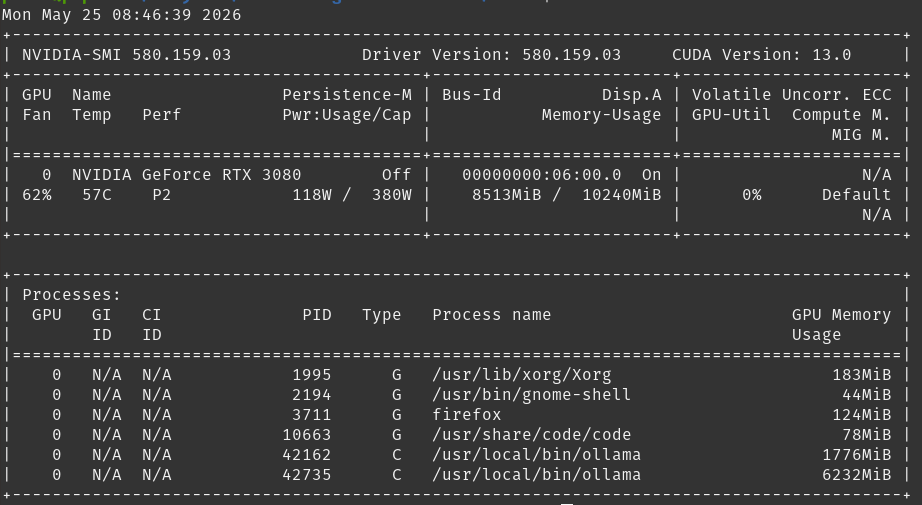
The larger model takes a few seconds to load initially but with subsequent requests, it’s super fast.
VSCode
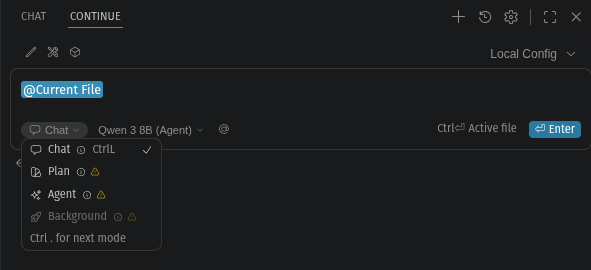
On the VSCode side, I used the Continue extension. This provides a chat interface pretty similar to the integrated Copilot one, with a chat window that can select between chat and agent modes.
The model configuration was not too difficult except that Gemini was very confused and kept giving me outdated parameters. I just had to set up the two models for the right contexts. I also set a much shorter timeout than the standard 30 minutes so that the models would unload faster and let me switch tasks without issue.
My current config for reference:
name: Local Config
version: 1.0.0
schema: v1
models:
  - name: Qwen 3 8B (Agent)
    provider: ollama
    model: qwen3:8b
    apiBase: http://localhost:11434
    keepAlive: 300
    roles:
      - chat
      - edit
      - apply
      - summarize
    capabilities:
      - inline_edit
      - tool_use
    requestOptions:
      extraBodyProperties:
        keep_alive: 300

  - name: Qwen 1.5B (Ghost Text)
    provider: ollama
    model: qwen2.5-coder:1.5b
    apiBase: http://localhost:11434
    keepAlive: 300
    roles:
      - autocomplete
    capabilities:
      - autocomplete
    requestOptions:
      extraBodyProperties:
        keep_alive: 300

  - name: Nomic Embed (Codebase Indexing)
    provider: ollama
    model: nomic-embed-text
    apiBase: http://localhost:11434
    roles:
      - embed

context:
  - provider: codebase
This gives me solid auto-complete and chat/plan/agent options in the sidebar. There’s a warning about the model not necessarily working well in agent mode but I haven’t had any issues.
Speed & Quality
Chat is fast. That’s the fun part about local models. Responses are pretty much instantaneous. Code generation is not bad, asking it to generate a simple text RPG in agent mode inserted ~100 lines of reasonable python code in about two seconds with the chat explanation following maybe a second later.
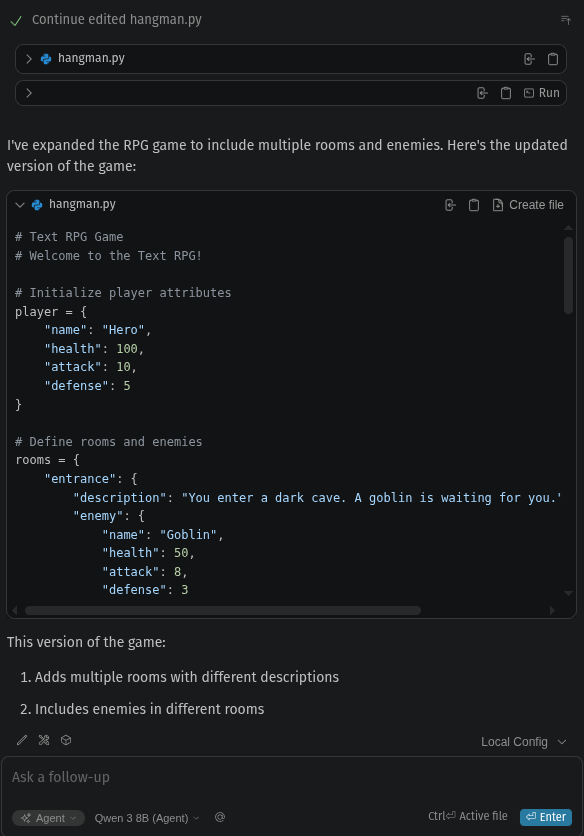
Do I expect Claude level quality in the output? Of course not. But for $0, who can complain?
Future
For now I’ll probably stick with this and see how far I can take the local agent, supplementing with the free tier of Copilot (50 agent mode requests per month) until I see how badly Microsoft kills that off with their announced pricing changes which are very unclear about the free tier. Long-term I would probably move to the lower Claude or Codex tiers and keep the local agent as a rate-limit fallback if necessary.